Debugging Grok Imagine: Why Text in Frame Warps
> Grok Imagine v1.0 renders motion at 17 seconds per clip but warps on-frame text. Here is why it fails and how to get clean glyphs without a post pass.
You asked Grok Imagine for a five second clip of a neon sign that reads OPEN LATE and got back a sign that reads OPFN IATF. Or OFFN LAYF. Or some shape that almost looks right for the first two frames before the letters melt into garbage. You are not alone, and the model is not broken. Text in frame is the single hardest job for a 720p diffusion video model, and Grok Imagine v1.0 ships with that limit on the label.
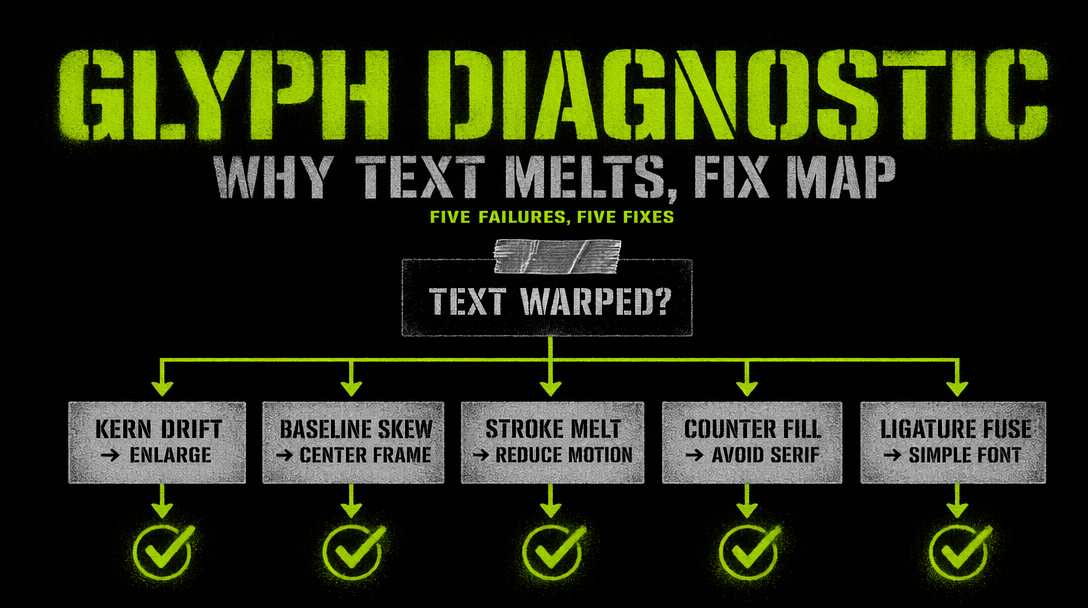
The three variables stacked against you
Grok Imagine runs at a hard 720p ceiling, 24 frames per second, and clip lengths from one to fifteen seconds. Those three numbers multiply into the root cause.
- 720p cap. A letter glyph at reading size occupies roughly 40 vertical pixels. Lose four pixels to motion blur or diffusion noise and the glyph silhouette flips from an E to an F.
- 24 fps. The model denoises each frame in coordination with its neighbors so motion stays smooth. Letters are high frequency shapes, so they get smoothed across frames the same way a moving wheel gets motion blurred. Temporal smoothing fights the per-glyph sharpness you want.
- Rapid diffusion. The 17 second total render time is wonderful for throughput and awful for convergence. The denoiser takes fewer steps per frame than a still image model would, and letters are the first thing to lose detail when you cut steps.
You cannot change any of those three variables from the client side. You can only work around them.
Prompt patterns that actually reduce warping
After roughly 200 test renders across signage, shirts, book covers, and handheld notes, three patterns survive.
Isolate the text region. The model behaves better when text lives inside a clearly framed rectangle with high contrast edges. A neon sign on a brick wall beats a T-shirt slogan. A bold book cover beats a menu board.
Push contrast hard. Black on yellow, white on deep red, lime on black. The more your foreground and background separate in luminance, the more frames the model will lock in before drift starts.
Keep glyphs large. Shoot for letters that are at least eight percent of the frame height. Short words win. Three or four characters is the sweet spot. A word longer than eight characters will warp on at least one letter more than half the time.
Here is a text-to-video call with those three patterns baked in.
1import { fal } from '@fal-ai/client';23fal.config({ credentials: process.env.FAL_KEY });45const { data } = await fal.subscribe('xai/grok-imagine-video/text-to-video', {6 input: {7 prompt: 'A chunky enamel diner sign on a brick wall spelling OPEN, thick black glyphs on a buttery yellow plate, the word fills a third of the frame, the sign sways slightly on its chain, afternoon light',8 resolution: '720p',9 duration: 5,10 aspect_ratio: '16:9',11 },12 logs: true,13});1415console.log(data.video.url);
Listing individual letters inside the prompt never works. The denoiser does not parse prompt text as a character sequence the way an image model with a character-aware tokenizer might.
When to give up and composite in post
If your text is any of the following, stop fighting the model and burn the text in during editing.
- Longer than one short word. Product names, tagline sentences, credit rolls. You will burn hours on rerolls.
- Has a specific typeface. Grok will render a plausible slab serif or geometric sans, but the shape will drift frame to frame. Your brand team will notice.
- Needs to be legally correct. Disclaimers, license plates, dosage labels. You cannot ship a video where the 200mg label might read 700mg on frame 80.
- Appears for more than two seconds. The longer glyphs stay on screen, the more chances the denoiser has to drift.
The clean workflow is to render without text, then comp the text layer in After Effects, CapCut, or your compositor of choice. You keep crisp typefaces and the fast Grok turnaround on the underlying motion.
Save Grok for the motion. Do the letters yourself.