Image-to-Video with Grok: Reference Patterns That Work
> Feed a still into Grok's image-to-video endpoint and watch the frame decide the motion. Aspect handling, the $0.002 input surcharge, and before/after setups that actually hold composition.
When you call xai/grok-imagine-video/image-to-video, the still you pass is not a decorative seed. It is the first keyframe and it dictates almost every motion choice the model makes afterward. If your reference has a tight crop and a fixed horizon, you get a camera that respects that horizon. Hand over a busy collage with three focal points and you get motion that thrashes between them. Treat the input like a storyboard panel, not a mood board.
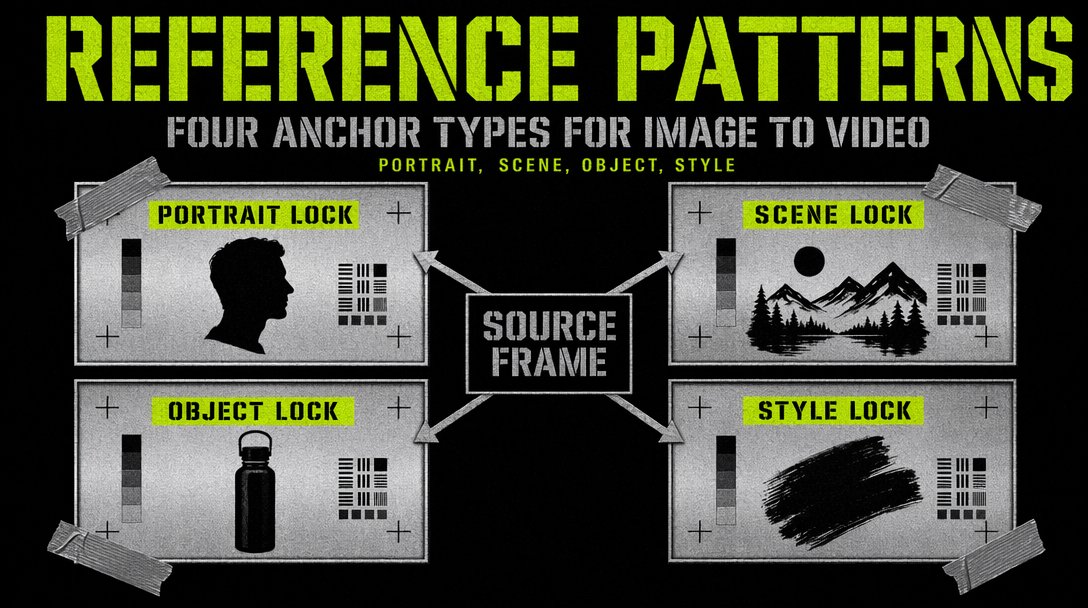
The still is the contract
Grok Imagine Video reads the input image for subject position, lighting direction, and ambient palette. Motion is layered on top without redrawing the composition. A cluttered background stays cluttered at frame 360. You cannot prompt your way out of a bad reference.
Checklist before upload:
- One clear subject within the rule-of-thirds grid.
- A horizon you want the camera to rotate around.
- Lighting that reads as a single time of day.
- Clean edges. If the subject is cropped at the wrist, the model keeps cropping it.
Fix the still first. Regenerating because the reference was ambiguous costs the same as regenerating because the prompt was wrong.
Auto aspect versus forcing the frame
The endpoint accepts aspect_ratio and supports auto. Auto reads the reference dimensions and picks the nearest canonical slot: 16:9, 9:16, or 1:1. For 1920x1080, auto resolves to 16:9. For 1080x1920, to 9:16.
Auto wins when you batch mixed sources, when the reference was shot for the destination platform, or when you want motion to respect the original framing.
Override when you repurpose a square asset for a YouTube cold open, when your still is a crop that lost motion room, or when you A/B across two aspects.
Caveat: force an aspect more than 1.5x off and Grok reframes via outpainting, so the subject can drift. Keep overrides inside a 16:9 to 4:5 window.
The per-image surcharge
Text-to-video is linear: $0.05/s at 480p, $0.07/s at 720p. Image-to-video adds $0.002 per input image. A 10-second 720p clip with one reference is $0.702, not $0.70.
The surcharge sounds trivial until you run a pipeline. One hundred 8-second 480p clips with one reference each is $40.20 rather than $40. If your workflow generates a fresh reference per call via xai/grok-imagine-image, you pay $0.02 for the still and $0.002 to pass it in: $0.022 before the video renders.
The surcharge earns its keep on reuse. A single reference feeding ten variation clips is $0.02 in input fees versus $0.20 to regenerate the still every time. Cache your stills.
Working code
1import { fal } from "@fal-ai/client";23fal.config({ credentials: process.env.FAL_KEY });45const result = await fal.subscribe("xai/grok-imagine-video/image-to-video", {6 input: {7 image_url: "https://cdn.example.com/portraits/maya-01.png",8 prompt: "gentle push-in, soft window light, subject holds a small ceramic cup, micro expression shift from neutral to a half smile",9 duration: 8,10 resolution: "720p",11 aspect_ratio: "auto"12 },13 logs: true14});1516console.log(result.data.video.url);
Three fields carry the weight: image_url, prompt, and duration. The scene is locked by the still.
Before and after
Before: a wide shot with a lone hiker at 5% of the frame. Prompt: "cinematic drone pull-back." Grok runs it, loses the hiker by frame 48, ends on empty rock.
After: same hiker cropped to 40% of the frame. Prompt: "slow 3 second orbit, subject centered, golden hour warm cast." Camera rotates, hiker stays anchored. Same endpoint, same cost, different result.
Before: reference with sunset on the subject's left and a blue-lit window behind. Prompt: "subject walks toward camera." Clip flickers as the model reconciles two light sources. Temporal coherence breaks around frame 96.
After: same composition, blue window replaced with warm interior. Prompt: "subject walks toward camera, two steps, confident pace." The walk lands. One color pass on the still saved a regeneration.
When to skip I2V
If the reference will be ignored (abstract prompt, full scene change, style transfer on a photo), use text-to-video directly. I2V is for clips where the still must survive into the first frame. If you cannot name a reason the reference matters, it does not.